01 · A compiled app, properly packaged
WPF on .NET 10, shipped as one signed MSIX package from the Microsoft Store. No unblocking, no prerequisites, no console window pretending to be a UI.
Out now · Microsoft Store · Windows 10/11
Rivet is a free Windows app that shows what's running on your PC — processes, services, startup apps and hardware — explains each one in plain English, and lets you change it safely. Every change is previewed first and written to a history you can undo where it's supported. It includes an AI assistant that runs on your own machine.
v2.1 was one PowerShell file that drew a HUD in a console window. 3.0 is a compiled desktop app with a real window, a real navigation model, and a safety net under every button.
WPF on .NET 10, shipped as one signed MSIX package from the Microsoft Store. No unblocking, no prerequisites, no console window pretending to be a UI.
Overview, Ask Rivet, Checkup, Startup, Cleanup, Processes & services, Tweaks, History, Guard & Restore, Settings — one window, no submenus.
Every action is previewed and recorded. Windows settings, startup apps and service start types can be undone after a restart; stopping or restarting a service while Rivet is open; cleanup and process kills not at all — and History says which.
Services, scheduled tasks, startup entries and boot impact through CIM and the task scheduler — not screen-scraped output.
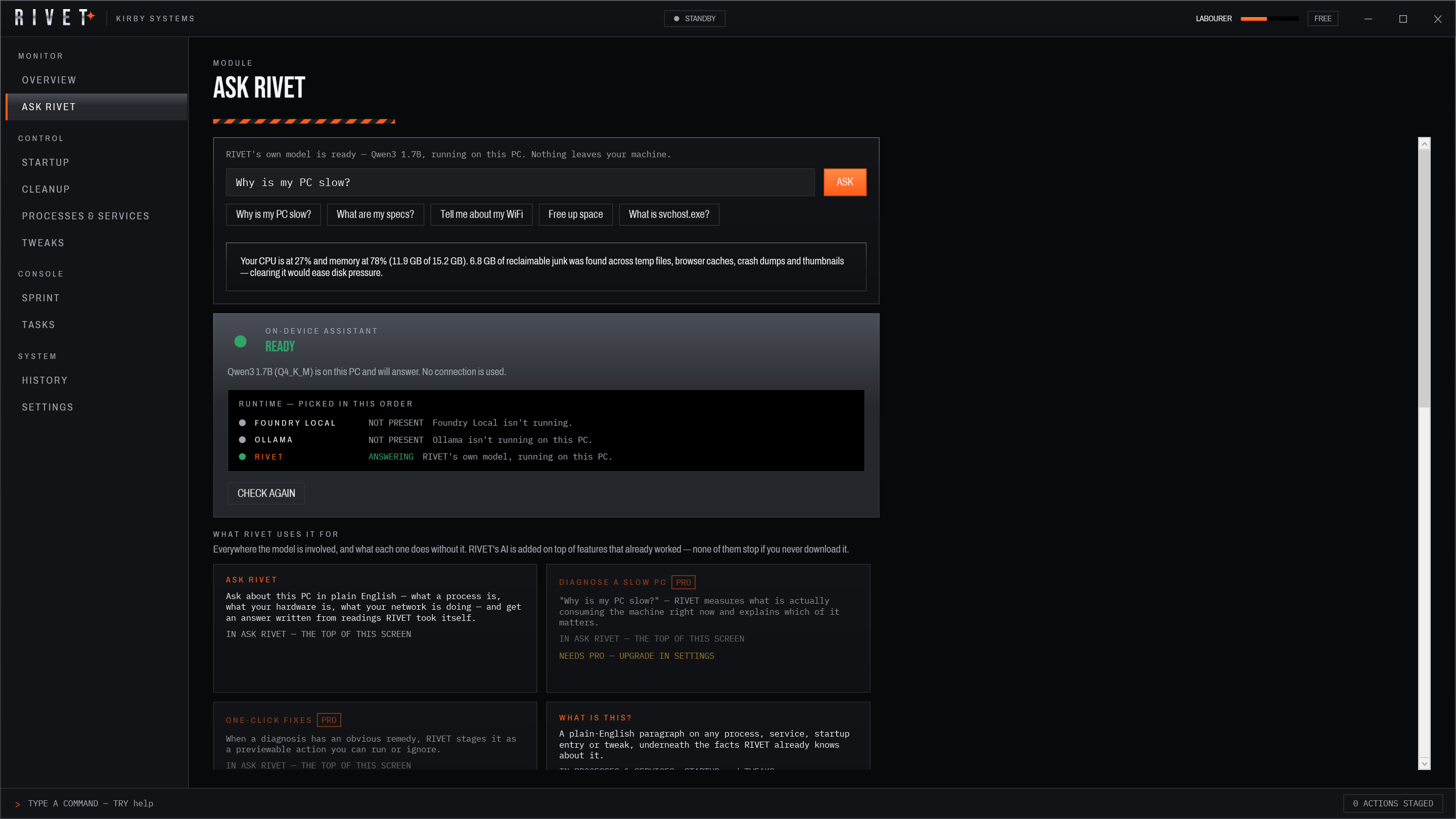
Ask uses a local endpoint if you already run one — Ollama or Foundry Local — and otherwise its own bundled runtime. Either way nothing leaves the device.
Live on the Microsoft Store with a 14-day trial (once per computer) that runs the full app. Licence resolves offline once activated.
The sidebar is the whole app. Each module owns one job and shares the same action log.
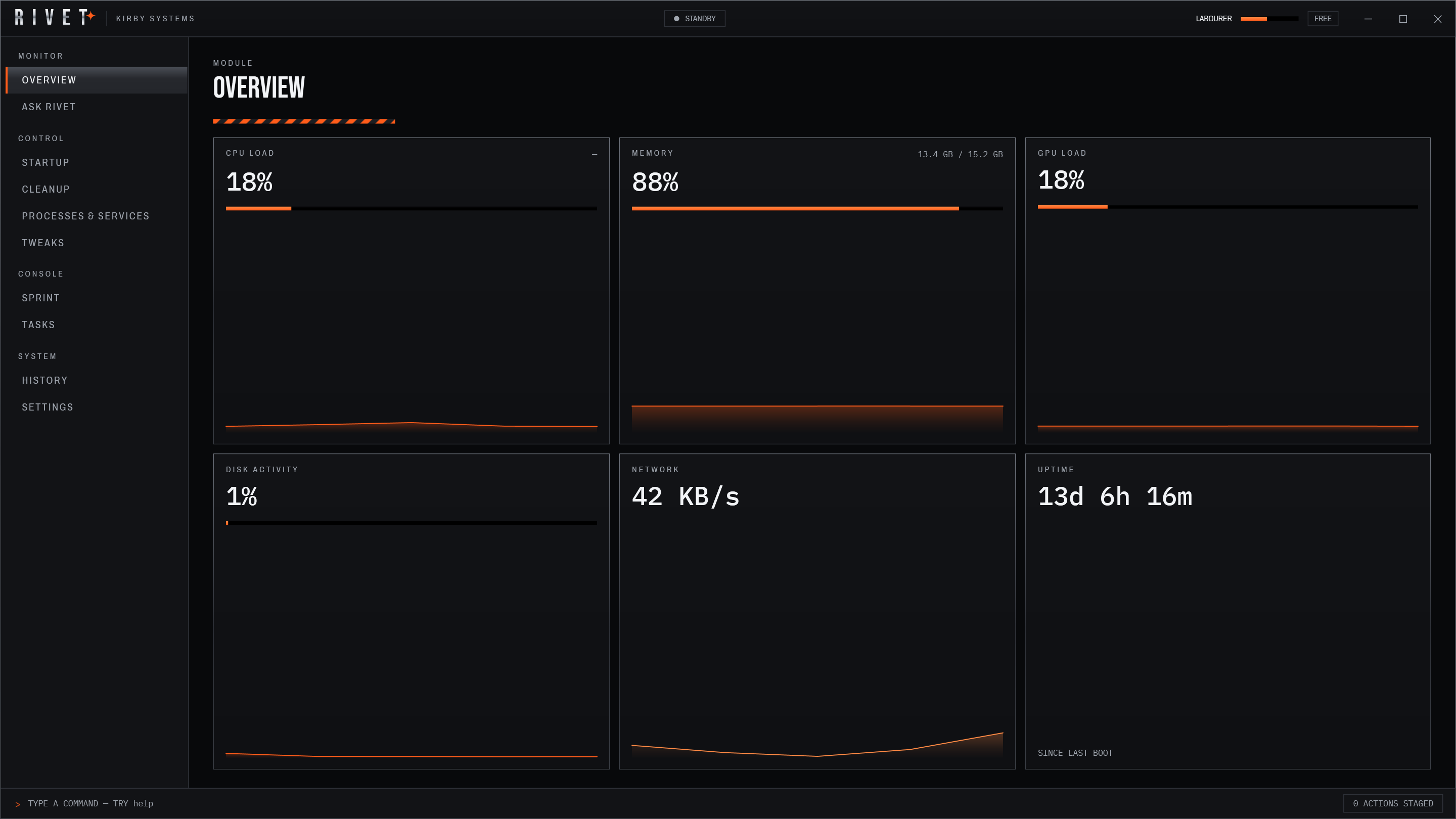
CPU, GPU, memory, disk and network sampled through CIM and performance counters, drawn as sparklines that keep 60 seconds of history. Processes arrive grouped, so twelve browser helpers read as one row you can act on.
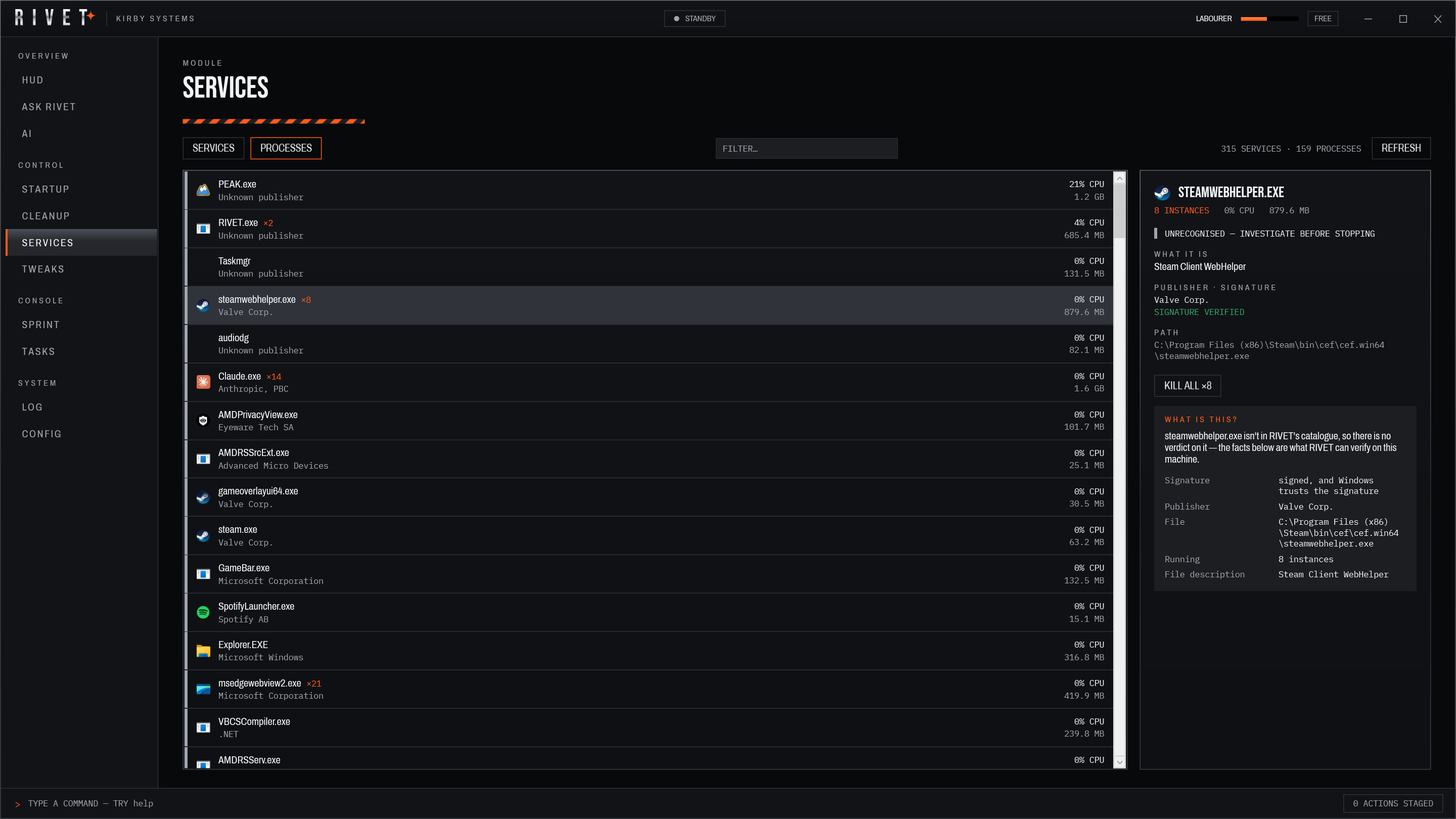
Processes and services in one place. Stop, restart or re-target a service start type without opening three consoles — every change is previewed first, and can be undone while Rivet is open.
Everything that runs at login, with a measured boot impact next to it. Disable an entry, or delay it by a few minutes with a scheduled task so login stays fast without losing the app.
A scanner that reports what it found before it touches anything: temp trees, caches, update leftovers, dumps, the Recycle Bin. You pick the rows. Deleted files are deleted — cleanup is the one thing that can't be undone, and it says so.
A 30-second checkup of what is slowing the PC, with the evidence behind every finding — measured counts, never an estimated saving. Free applies one fix per checkup; Pro fixes everything recommended in stages, each undoable on its own.
A catalogue of Windows settings with plain-English descriptions of what each one does and what it costs. Apply the recommended set, or restore one tweak, one group, or everything.
An assistant that runs on your PC: Qwen3-1.7B through llama.cpp, downloaded once when you say so. Uses Foundry Local or Ollama instead if you already run one. Without any model it still answers in keyword mode from the same real readings.
Every action written down, with what changed. Windows settings, startup apps and service start types keep their previous value on disk and can be undone after a restart; stopping or restarting a service can be undone while Rivet is open; cleanup and ending a process can't be undone. Each row says which.
After a Windows update, a list of what the update changed — startup apps, services, scheduled tasks, Store apps — with a Restore for each. Guard (Pro) puts back the choices you protect when an update resets them, and only tells you about changes you made yourself.
Language, theme, motion, licence state and permissions in one panel. Ten languages, eight themes — four with their own layout — and a permission surface that says exactly what each feature touches.
Every change is previewed before it runs and written to History. Windows-settings tweaks keep their previous value in the history file and can be undone even after Rivet is closed and reopened — Rivet re-reads the setting first and refuses if something else changed it since. Service and startup changes can be undone while Rivet is open.
Cleanup deletes files and ending a process ends it; neither can be undone, and Rivet says so before you confirm. The package is a signed MSIX distributed through the Microsoft Store, so it passes Store certification on every update.
No — and it never asks. Rivet runs as a standard user; everything on every screen works that way.
Anything that would need admin rights — stopping a protected service, a machine-wide setting — fails with a clear message rather than prompting for elevation. Settings has a permission surface listing every capability the app uses.
No. The model is Qwen3-1.7B running through llama.cpp on your own hardware — there is no account, no API key, no server to talk to, and no telemetry anywhere in the app. If Foundry Local or Ollama is already running on your PC, Rivet uses that instead.
The only network request Rivet itself makes is the one-time download of the model file itself (about 1.3 GB), on demand, if you choose to use Ask. Once it is on disk the feature works with the machine offline. Prefer to skip that entirely? RIVET XP makes no network connections at all. Full detail on the innovation page.
Installing is free and everything is unlocked for 14 days on your own hardware, once per computer — reinstalling doesn't restart it. Nothing is crippled or watermarked during it.
After that Free keeps working — overview, processes and services, startup, the privacy, context-menu and visual-effects tweaks, basic cleanup, Ask Rivet's identify-and-explain, history and undo. Pro adds slow-PC diagnosis with staged fixes, the full tweak catalogue, advanced cleanup, unlimited startup delays and the change digest, as a one-off $4.99 purchase through the Microsoft Store — shown in your local currency. No subscription.
Windows 10 version 2004 or newer, and Windows 11 — x64 only. The runtime ships inside the package, so there are no prerequisites to install and nothing to unblock.